In short:
- A good 2027 plan in construction doesn't roll last year's sales number forward with a growth percentage tacked on.
- National growth averages might be hiding what's actually happening in your territory. Segment by geography and sector before you trust an industry-wide number.
- Waiting for the "perfect" plan costs you the time you don't have. Build early-stage project visibility into your pipeline now and revisit it every quarter instead of once a year.
- ConstructConnect® Analytics ties market position, target-account research, and specification share into one planning workflow instead of three separate spreadsheets.
- These lessons come from ConstructConnect®'s own team during our live 2027 planning webinar, where customer success, sales, and product leaders shared their advice for a better planning strategy.
What Does a Good 2027 Planning Process Look Like?
ConstructConnect® recently hosted a live webinar on exactly this topic, See 2027 Coming: The Data and Tools Decision-Makers Actually Need. Team members from customer success, sales, and product broke down what planning for 2027 looks like in practice, starting with the habit that undermines most plans before they even start: rolling last year's numbers forward and calling it a target.
"Teams should stop simply rolling last year's numbers forward and slapping on a target growth percentage," says Ayzia Baros, ConstructConnect's Senior Customer Care Manager. "That doesn't tell you where the growth is actually coming from, or whether it's reasonable in the first place."
That's the starting point, but the lessons that follow cover where to focus once you've segmented the market, how to keep a plan from going stale, and how to reach the data you need to build a solid plan.
Lesson 1: A National Growth Number Doesn't Tell You Where to Focus
Even if the overall construction industry is growing, that doesn't mean every sector, geography, or product category tied to your business is growing at the same rate.
"Broad industry averages can hide what's actually happening in your market," Baros says. "Even if the overall industry is growing, that doesn't mean every sector, geography, or product category that matters to you is growing at the same rate."
That distinction matters enough that it's the gap teams most often flag in their own planning process, alongside early-stage project visibility. Segmenting by market, product line, and territory before setting a target is what turns a single guess into a plan you can actually defend.
Lesson 2: Stop Waiting for the "Perfect" Plan
The second habit worth breaking: waiting for a fully-formed plan before you start acting on it. Put the meeting on the calendar, start the research, and refine as you go.
Jack Schwierling, ConstructConnect's National Sales Consultant, sums up the fix in one line: "When's the best time to plant a tree? It was a year ago, or twenty years ago. The second best time is today."
That applies directly to pipeline visibility. Teams relying only on closed business and current backlog are looking in the rearview mirror. Building visibility into planning-stage projects, before they reach the bidding pipeline, is what lets a team act on a market shift instead of reading about it after the fact.
Lesson 3: Assign an Owner and Set Quarterly Trigger Points
An annual plan filed away in a spreadsheet doesn't do much on its own. Two habits turn it into a living process instead of a once-a-year exercise:
- Name a champion. Someone on the team, not necessarily a formal analytics role, who owns keeping the plans current. "Is there a rising person in your organization, someone who's taken real interest and has an analytical approach to things?" Schwierling asks. "That's a great place to start."
- Set quarterly review and trigger points. Decide in advance what should make you revisit the plan early. "If you see competitor activity change really heavily above or below a certain threshold, that's when you start diving back into that plan and reevaluating it," Baros explains. When a trigger hits, you reevaluate before the next scheduled quarterly check-in, not after.
Lesson 4: The Data You Need to Build a Plan Shouldn't Be Hard to Find
Having the right data isn't the same as being able to use it while you're actually planning. Michel Guillet, ConstructConnect's Product Manager, points to that gap directly. "Planning can be kind of rigorous sometimes," he says. "A lot of what we're doing [at ConstructConnect] is thinking about how we position the data so it's easy to get to."
For Guillet, that starts with organizing the data and analytical tools inside ConstructConnect Project Intelligence around the same questions a planning team is already asking. "Where do we stand? What's our position in the market?" he says. "From there, where do we want to focus? And then how are we going to track our progress?"
A tool that answers those questions saves a team from rebuilding the same manual report every quarter just to get back to where it left off.
It also means the tools you use should look like the plan, not a separate system you have to translate into it. Walking through the ConstructConnect® Analytics dashboards inside ConstructConnect® Project Intelligence, Guillet made the same point: "it almost lines up to how your annual planning or your quarterly planning set of slides might be."
How Analytics Brings Market Position, Targeting, and Spec Share Together
Each tool inside Analytics, within the Project Intelligence Premium plan, maps to one of the questions Guillet called out above.
Market Overview: Where Do We Stand?
In the Market Overview dashboard, you can filter to a specific market and find project counts, value trends, and a high-level AI-generated summary that calls out which quarter, state, or category is driving a change.
Guillet treats the output as a planning input, not just a chart. "If I'm doing my planning process, I can take this chart, download it, and put together a one-pager to share with an executive."
Company Targeting: Where Do We Focus?
The Company Targeting dashboard lets you apply your own keyword search tags (your products, product lines, or brand alongside named competitors) against ConstructConnect's project and company database.
From there, zone in on a company's collaborator network, so outreach is "not just a cold call, but a warm touch," as Guillet puts it.
Specification Positioning: How Do We Track Progress?
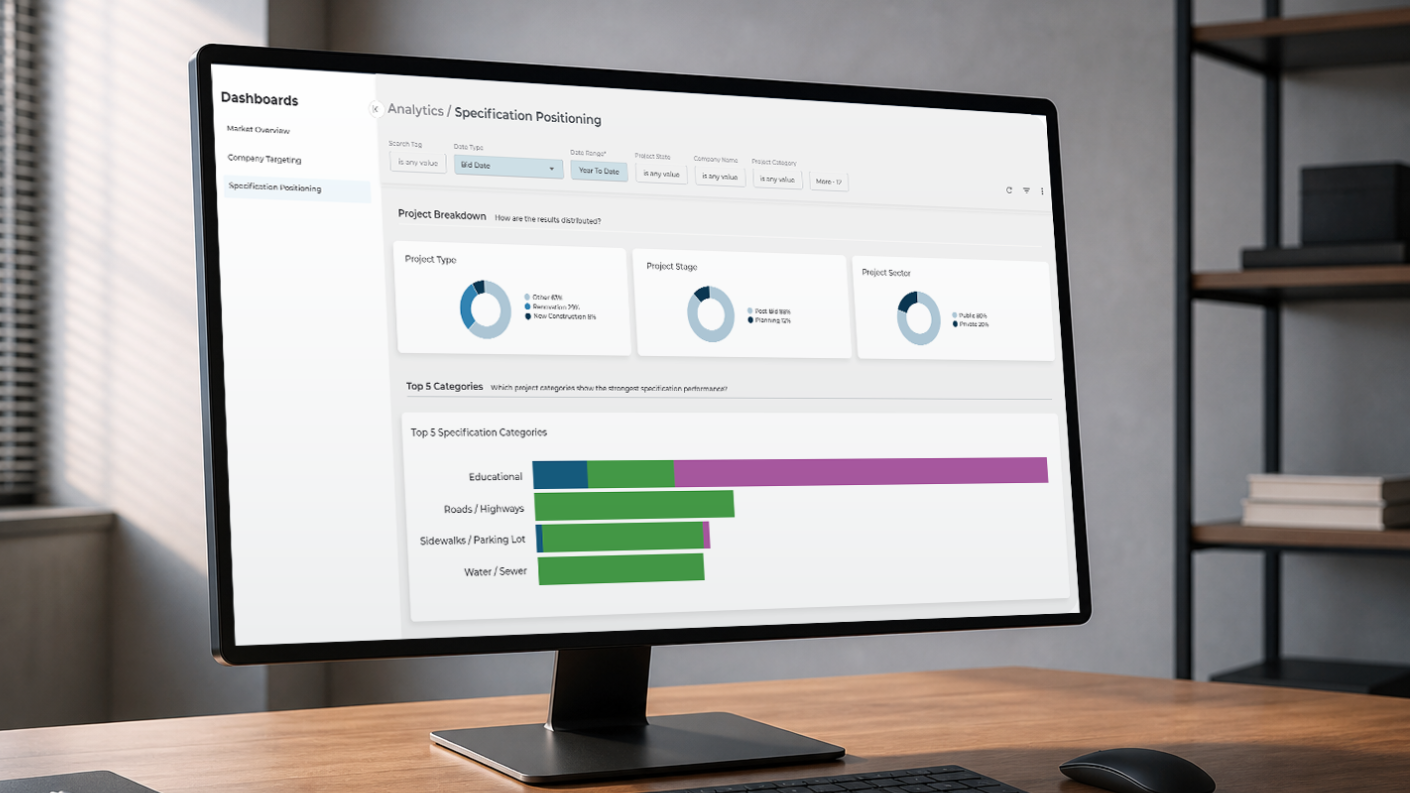
The Specification Positioning dashboard breaks down spec share by search tag and state, so you can see year-over-year movement instead of waiting on a quarterly export.
See Your Own Market Inside Analytics
Every dashboard in Analytics runs on ConstructConnect's database of 825,000+ private and public commercial construction projects, updated daily. Your team can filter down to your own markets, products, and competitors and set your 2027 planning sessions up for success. Schedule a demo today and we'll walk through what it looks like on your actual territory.
Frequently Asked Questions (FAQs)
How can AI help with 2027 planning?
AI can support 2027 planning in two practical ways: running "what if" scenarios, like testing a new territory or a shift in product-line spend against existing data, and flagging inconsistencies as a quality check before a plan goes in front of leadership. It works best as a second perspective on the data, not a replacement for the planning judgement a team already has.
What's the easiest way to find out if your spec is called out on a project?
The easiest way is filtering a construction project database down to specific product categories and setting up saved keyword searches for your specs and your competitors' specs. Once those searches are set, a daily email flags any new project that matches, which removes the need to manually search the same term again.
How do I find the architects and engineers driving specifications on my projects, before the next one hits the market?
Set search tags to a specific project category inside a company-targeting or specification-tracking tool, such as ConstructConnect Analytics in Project Intelligence. Then sort results by specification volume to see which architecture and engineering firms are driving the most activity. Opening a firm's detail page typically surfaces the other companies it works with most often, turning a cold list into a set of warmer introductions.