
CONSTRUCTCONNECT® TAKEOFF
AI-Powered Takeoff Software, Built for the Cloud
ConstructConnect® Takeoff reads plans the way an estimator does, pulling counts, lengths, and areas so you don't have to. It runs right in your browser on Mac or Windows.
From the team behind On-Screen Takeoff®, PlanSwift®, and Takeoff BOOST™.
TAKEOFF ASSIST
Go from project questions to a reviewable takeoff—just ask.
Ask Takeoff Assist in plain language to explore plans and specifications, understand project scope, and create a first-pass takeoff across supported trades. For supported workflows, it can also suggest catalog items and assemblies to help turn quantities into an estimate.

Understand the scope
Ask questions about the project and surface details or potential inconsistencies to check in the plans and specifications.
Start the takeoff
Request quantities for supported work, then review and refine the suggested linear, area, and count measurements.
Move toward an estimate
Use recommended catalog items and assemblies in supported workflows to help connect measured quantities with material and labor costs.
SUPPORTED TRADES
Takeoff for your trade
Choose your trade to see how ConstructConnect Takeoff helps you measure and count the work you bid.
Drywall
Measure drywall areas and linear quantities, and count components across wall and ceiling scopes.
Painting
Measure paint and finish areas, linear quantities, and counts across interior and exterior surfaces.
Flooring
Measure floor and wall surface areas for flooring and tile scopes.
Exterior Elevations
Measure exterior system areas and linear quantities, including openings.
Roofing
Measure roof areas and linear quantities, and count roof features.
Concrete
Measure concrete areas and linear quantities, and count concrete elements.
Landscaping
Measure landscape areas and linear quantities, and count landscape elements.
Electrical
Measure and count electrical fixtures, conduit, and devices.
Mechanical
Measure and count HVAC systems and components.
Plumbing
Measure plumbing quantities and count fixtures and other selected components.
HOW IT WORKS
Upload. Measure. Estimate.
Upload Your Plans
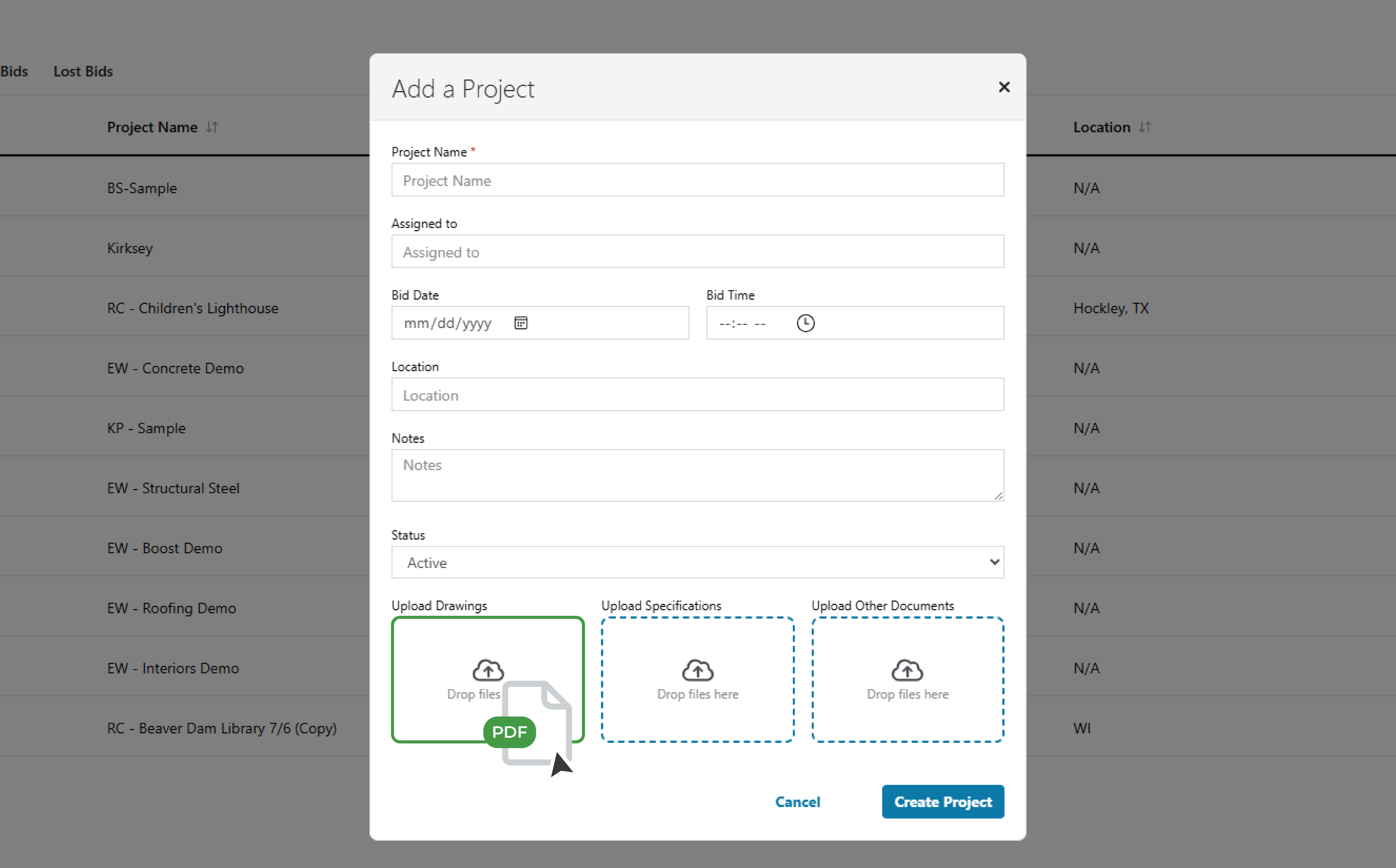
Open the web app and drop in a plan. No setup, no install.
AI Does the Takeoff
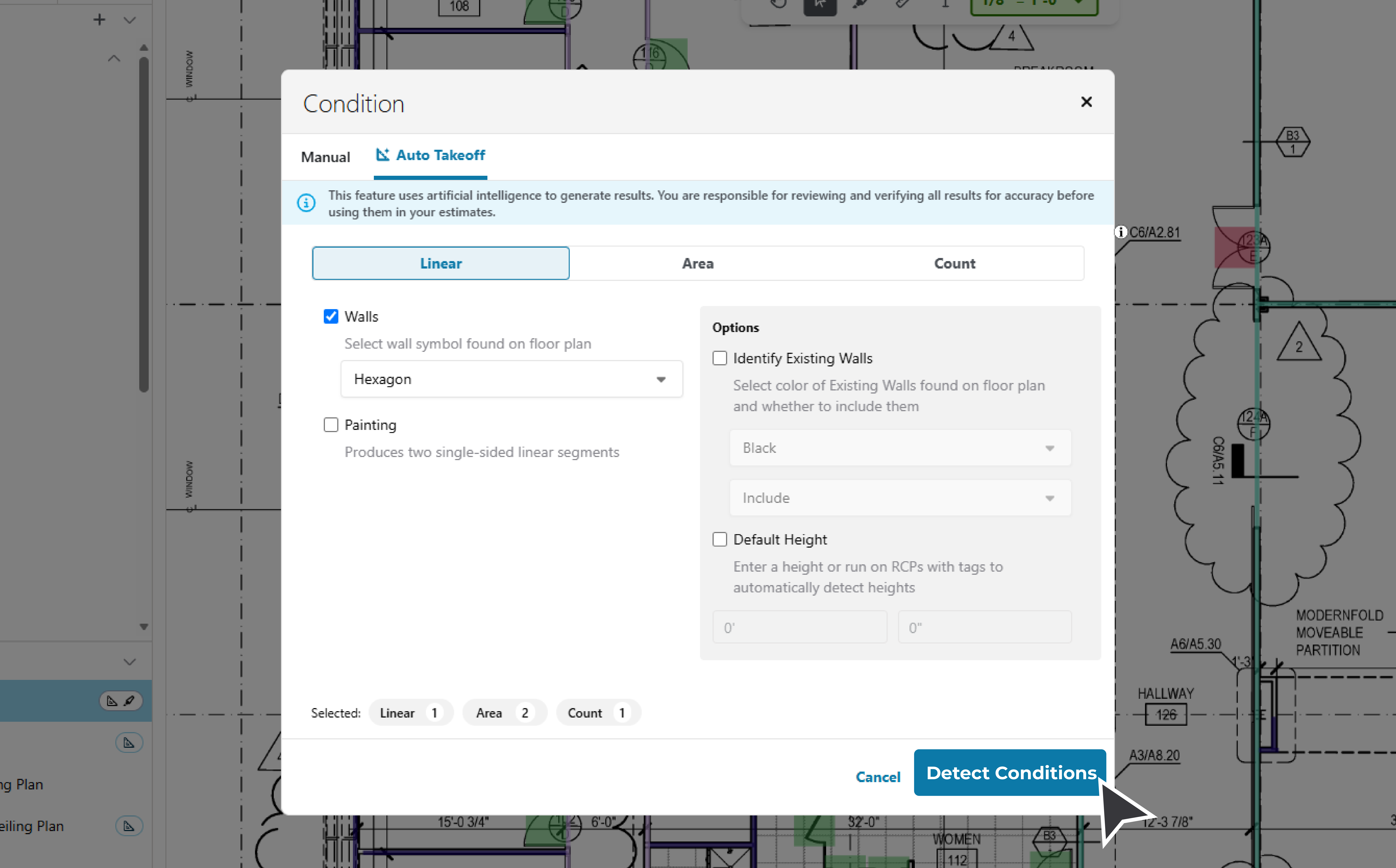
Pages named, scale set, and Auto Takeoff (part of Takeoff BOOST) measures the work: linear, area, and count.
Export to Your Estimate
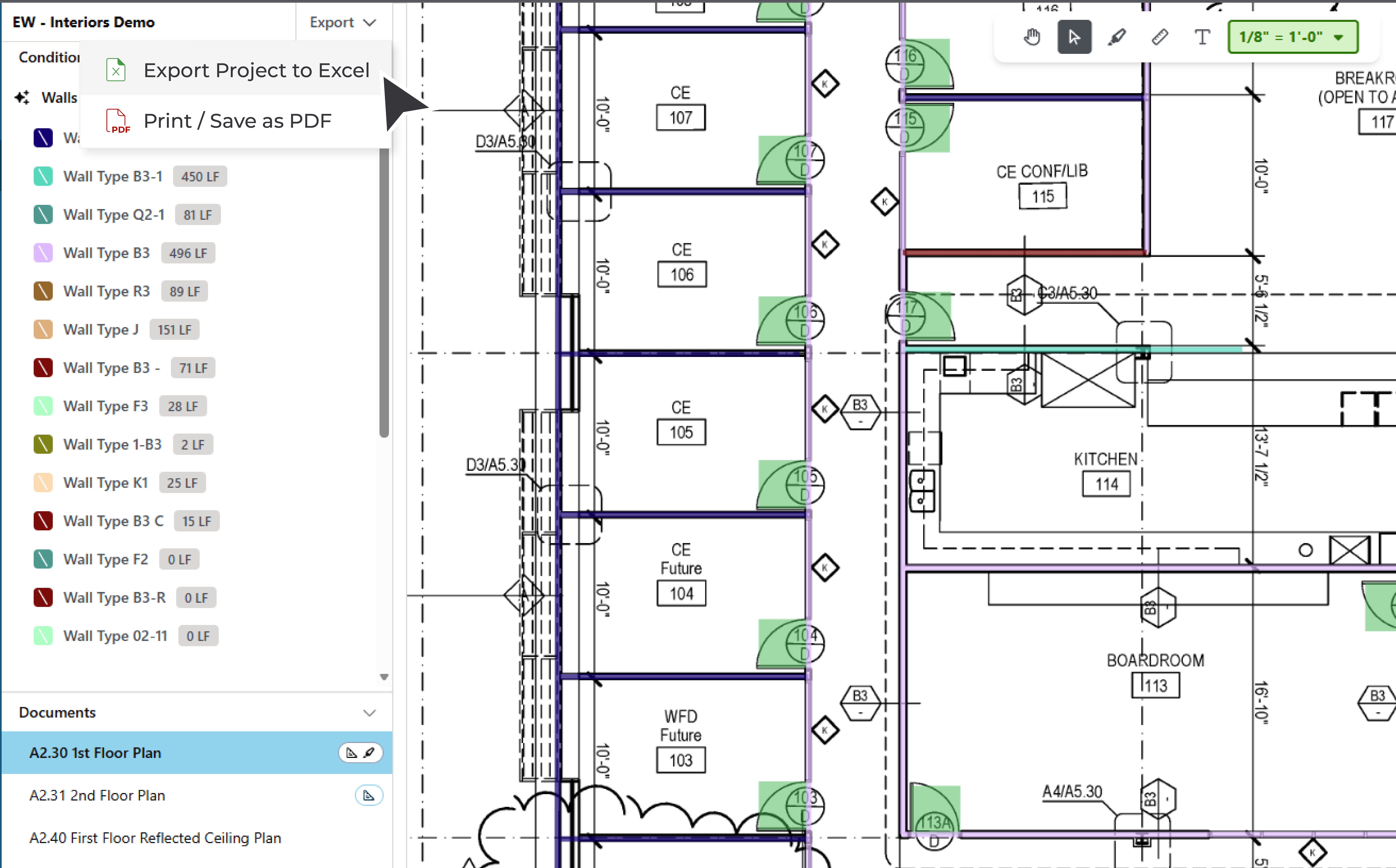
Send your quantities to Excel® or PDF and get to the number that wins.
Construct
Connect
LIVE WEBINAR · THU, NOV 19 · 1 P.M. ET LIVE · NOV 19 · 1 P.M. ET
Do More in 2027 with AI-Powered Estimating
New trades + first look at Light Estimating
Free · Nothing to install
What's Inside
Key Features
AI names your pages, sets the scale, and measures the work, while your whole team works from the same project on any device. Less setup, more time getting to the number that wins.
Takeoff Assist
Your AI-powered chat assistant. Ask Takeoff Assist to analyze project plans and measure quantities. Review the results, make changes, and stay in control of your estimate.
Auto Name Pages
Every sheet named the moment you upload.
Auto Scale
Reads the scale and sets it for you. No manual calibration.
Auto Takeoff
Part of Takeoff BOOST
Detects and measures your conditions for you — linear, area, and count.
Project Collaboration
Estimating teams can work from the same project in the cloud. No more emailing files back and forth or wondering which version is current.
Any Device, Any Browser
Chromebook, iPad®, MAC®, PC, Android®, or iPhone®. If it opens a web page, it runs ConstructConnect Takeoff.

WHY CONSTRUCTCONNECT TAKEOFF?
Cloud-native AI from a name that's been doing takeoff longer than the new guys have existed.
A wave of new web tools will ask you to bet your bids on software that's barely been tested. ConstructConnect Takeoff is different. You get a web-based digital takeoff tool that is:
- Built by the company that is trusted by thousands of estimators
- Backed by an expert support team
- Supported by a complete preconstruction workflow
New where it counts. Proven where it matters.
GET STARTED
Proven digital takeoff, now in your web browser.
See how it works on a real project.
FAQ
Frequently Asked Questions
-
What is ConstructConnect Takeoff?
It's a web-based takeoff app from ConstructConnect. Upload your plans in a browser and the AI tools name your pages, set the scale, and measure the plans for you: linear, area, and count. That AI measuring is Auto Takeoff, part of Takeoff BOOST™, our suite of AI takeoff tools that are also built in On-Screen Takeoff® and PlanSwift®.
And because it's web-based, ConstructConnect Takeoff runs on just about any device with a browser: Chromebooks, iPads, Macs, Windows, Android, and iPhones.
-
Does ConstructConnect Takeoff run on a Mac?
Yes. If your machine opens a web page, it runs ConstructConnect Takeoff. Mac, Windows, whatever you've got.
-
What trades is ConstructConnect Takeoff built for?
Interior trade contractors: drywall, acoustical ceiling tile, painting, and flooring. If your work comes down to linear, area, and count takeoff, it's built for you.
-
How do I try ConstructConnect Takeoff and what does it cost?
ConstructConnect Takeoff Professional is available today, with more plans on the way. See what's included: see plans & pricing →.