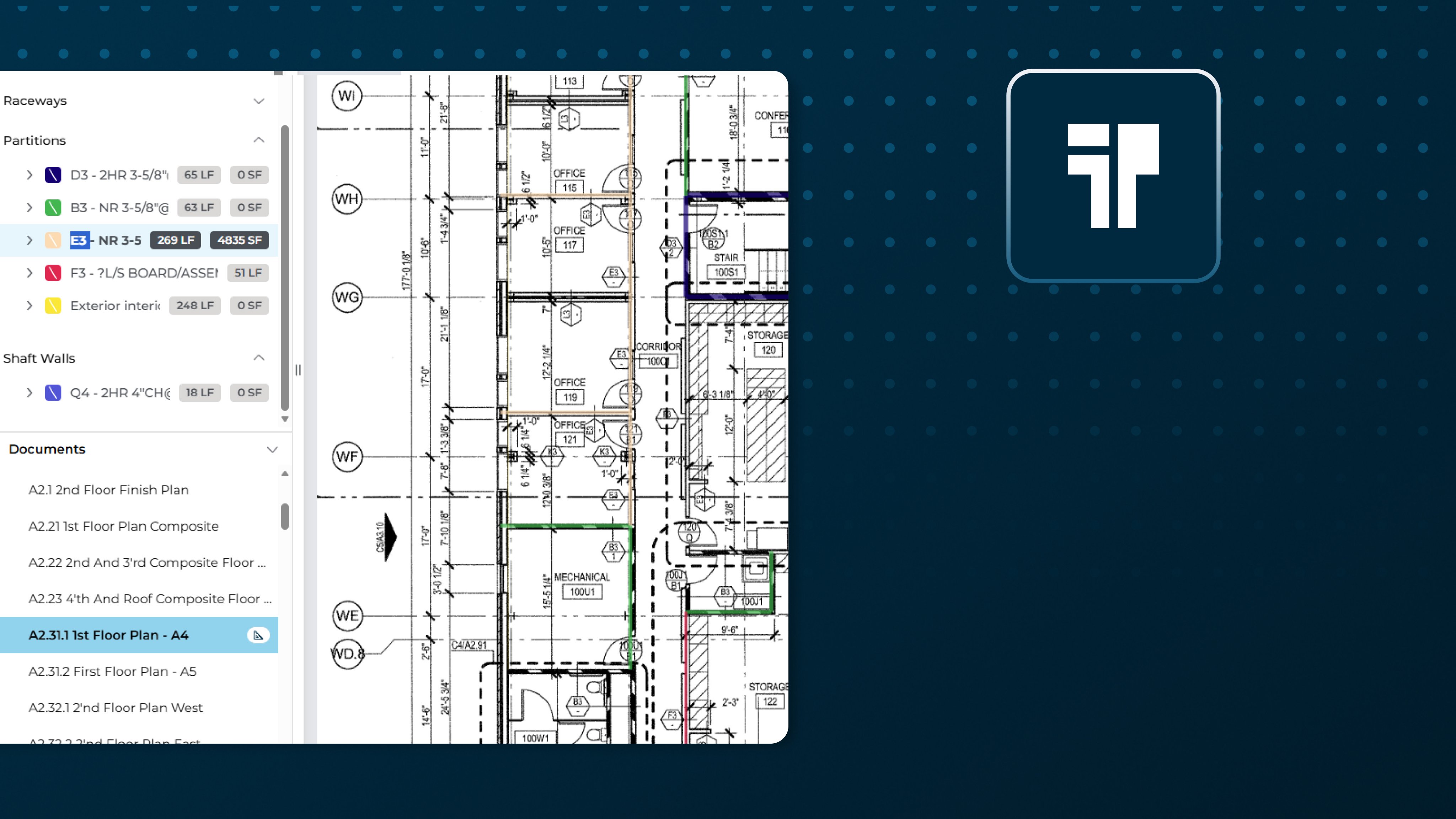
In short
-
Drywall contractors deal with partitions, ceilings, openings, accessories, and renovation work. Arguably, their takeoff needs are more complicated than many other trades, lots of flipping between plans, details, elevations, and schedules.
-
Add to the takeoff complexity, the estimator must account for all the materials and labor required to complete a build out.
-
Takeoff BOOST™’s Expanded Auto Takeoff coverage, along with the included Estimating functionality in ConstructConnect Takeoff, helps drywall estimators go from reviewing plans to submitting a bid in record time.
-
Auto Takeoff gives estimators a faster, more organized way to establish the initial measurement set for review.
-
This feature is current in beta testing and will be available for all ConstructConnect Takeoff users soon.
Why this matters
Drywall scope can change from room to room and wall type to wall type. Estimators may need to reconcile partition schedules, reflected ceiling plans, details, openings, and renovation notes before a quantity is ready to price.
Takeoff BOOST™ Auto Takeoff helps establish a categorized first pass across the drywall conditions that commonly shape labor and material scope:
- Partitions by wall type
- Furring and liners
- Shaft walls and head-of-wall conditions
- Wet-area board, board by face, and exterior sheathing
- GWB, ACT, and specialty ceilings
- Soffits and bulkheads
- Door and window frames, access panels, and blocking and backing
- Corner bead, trims, control joints, demolition, patch, and repair
A faster path to the first review
Open the architectural drawing, verify the page scale, set up Auto Takeoff and choose Drywall, then just select the wall, ceiling, openings, or renovation items that belong on the page, and put Auto Takeoff to work.
Takeoff Assist, launched by Auto Takeoff goes to work immediately, scanning your plans, identifying wall types, details, callouts, and even inconsistencies - automatically and in just a few minutes.
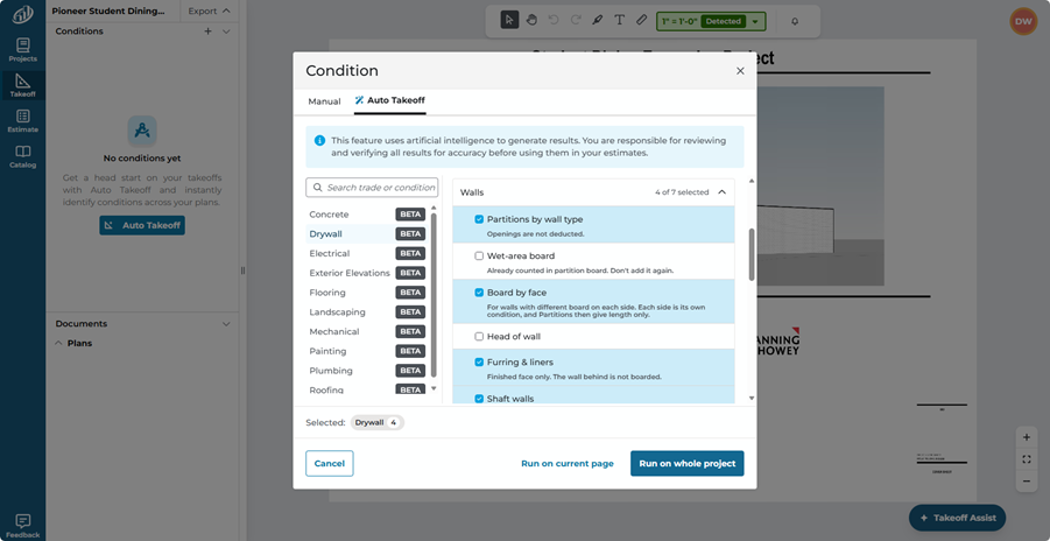
Takeoff Assist creates conditions and takeoffs on the current plan or on all plans that it determines have Drywall objects - your choice. As it's working, Takeoff Assist keeps you informed of what it is doing.
The payoff for estimators
A categorized first pass can reduce time spent setting up repetitive drywall measurements and create a clearer path to the questions that affect pricing: Which wall assembly applies? What board type is required? Where do ceilings, soffits, openings, and repairs start and stop?
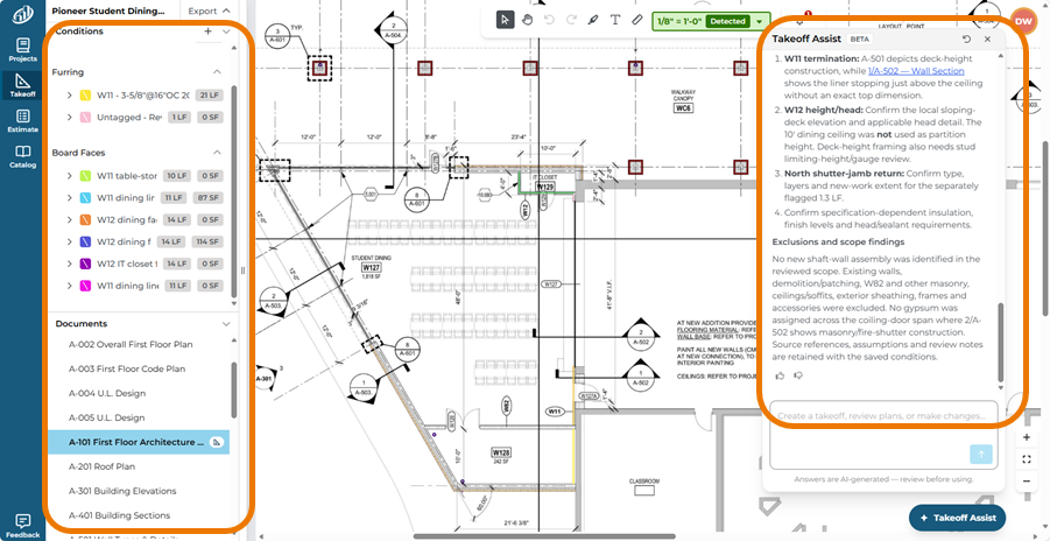
Auto Takeoff creates Conditions and takeoff and let's you know what it and why in the Takeoff Assist panel.
Takeoff Assist isn’t just drawing measurements on a page, it’s understanding how the plans work together and the relationships between different takeoff objects. It shows you its insights and why it drew takeoff the way it did and calls out inconsistencies and things you may want to pay extra attention to.
Auto Takeoff and Takeoff Assist don't replace you as the estimator - your expertise are critical, but put them to work where they matter: fine tuning your estimate and polishing your proposals.
Speaking of Estimating
ConstructConnect Takeoff includes estimating functionality (beta) that allows you to account for all the materials and labor required to build your construction job. No need to export to another application to build your estimate, do in right in ConstructConnect Takeoff and save hours, even days of tedious copying and pasting. Just grab an Assembly from the Starter Catalog or your custom catalog and you’re well on your way to a priced estimate.
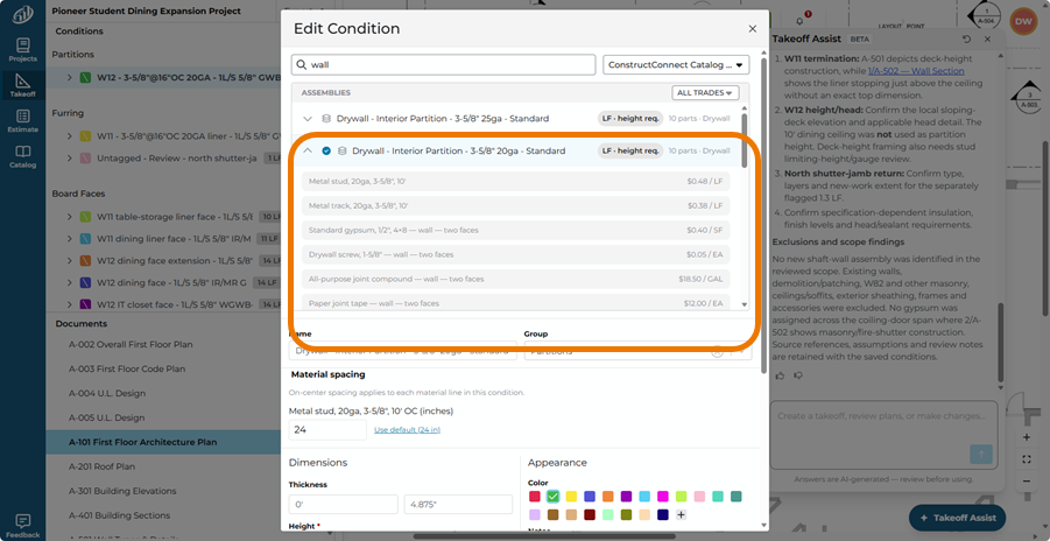
Takeoff Assist can even help you with estimating. Just ask it for details on how each Condition is built.
Keep the estimator in control
Automation is amazing, but your drywall takeoff still requires your review, as the experienced estimator. Wall types may change by room or elevation. Shaft walls and head-of-wall conditions may depend on details. Board by face, wet-area board, fire ratings, access panels, backing, and renovation scope may require information from schedules and specifications.
Review the generated results against the complete drawing set, then adjust, reassign, or add measurements where needed. Use natural language to communicate with Takeoff Assist and get your bid out faster than ever.
|
Important
Takeoff BOOST's Auto Takeoff is an AI-assisted starting point. Always verify scale, scope, conditions, quantities, and specifications before using results in an estimate.
|
Keep an eye out for the next article in this series: Auto Takeoff for Electrical