In short
- Flooring takeoff goes beyond floor area. Finish schedules, room types, wall base, transitions, thresholds, stairs, underlayment, and waterproofing all influence what gets priced and where the work starts and stops.
- Takeoff BOOST™ Auto Takeoff gives estimators a faster, more organized way to establish the initial measurement set for review.
- This feature is current in beta testing and will be available for all ConstructConnect Takeoff users soon.
Why this matters
Flooring takeoff is a collection of relationships. A finish may apply only to certain rooms. Wall base may stop at casework or openings. A transition may depend on a material change. Stair finishes may depend on treads, risers, landings, nosings, and edges.
Expanded Flooring coverage in Takeoff BOOST™ Auto Takeoff helps you establish a categorized first pass across the items that commonly shape flooring scope.
- Floor finishes
- Wall base
- Transitions and thresholds
- Stair finishes
- Underlayment
- Waterproofing
A faster path to the first review
Open the architectural drawing, verify the page scale, choose Flooring, select the applicable items, choose the scope you want to review, and run the takeoff on the current page or across the project. Quick Pass can help with early scope assessment, while Thorough Pass is intended to give you more to review before pricing. In either case, the estimator remains responsible for confirming the result.

Auto Takeoff Flooring offers numerous options. If you don't see what you need, enter it in the text box at the bottom of the list.
The payoff for estimators
Instead of manually tracing every repetitive room or linear edge before you can begin reviewing the job, you get a more organized set of conditions and quantities. That creates a faster path to the questions that matter: What is the quantity? Which assembly does it belong to? Where does the work start and stop?

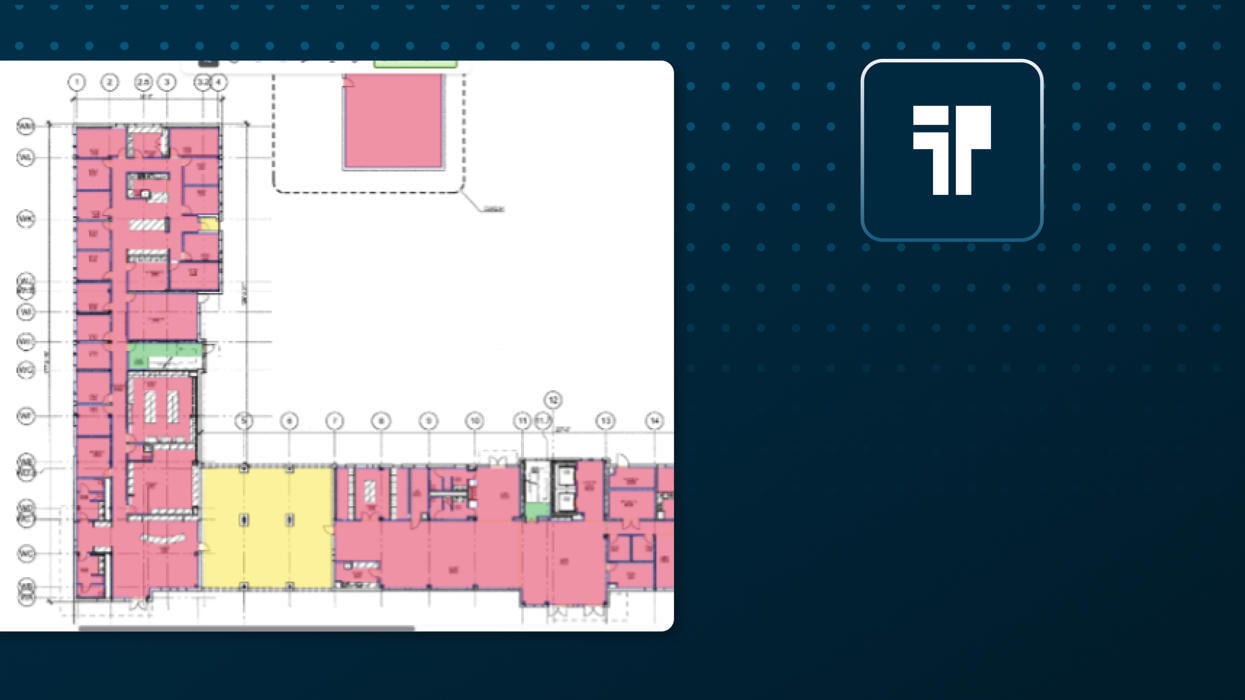
A completed Auto Takeoff for Flooring - connect the visual result to review-ready pricing preparation .
Flooring takeoff can be a tedious process - lots of clicking, navigating between floor plans and details. Let Auto Takeoff help you spend your time and more important things like making sure your estimate is accurate, you're bidding the right projects, and building relationships in the industry to make your business more successful than ever.
Keep the estimator in control
Use the generated takeoff alongside finish plans, room finish schedules, elevations, stair details, and specifications. Reassign measurements when the assembly changes, add missing work manually, and confirm the result before using it to price labor and materials.
|
Important
Takeoff BOOST's Auto Takeoff is an AI-assisted starting point. Always verify scale, scope, conditions, quantities, and specifications before using results in an estimate.
|
Keep an eye out for the next article in this series: Auto Takeoff for Landscaping