In short
-
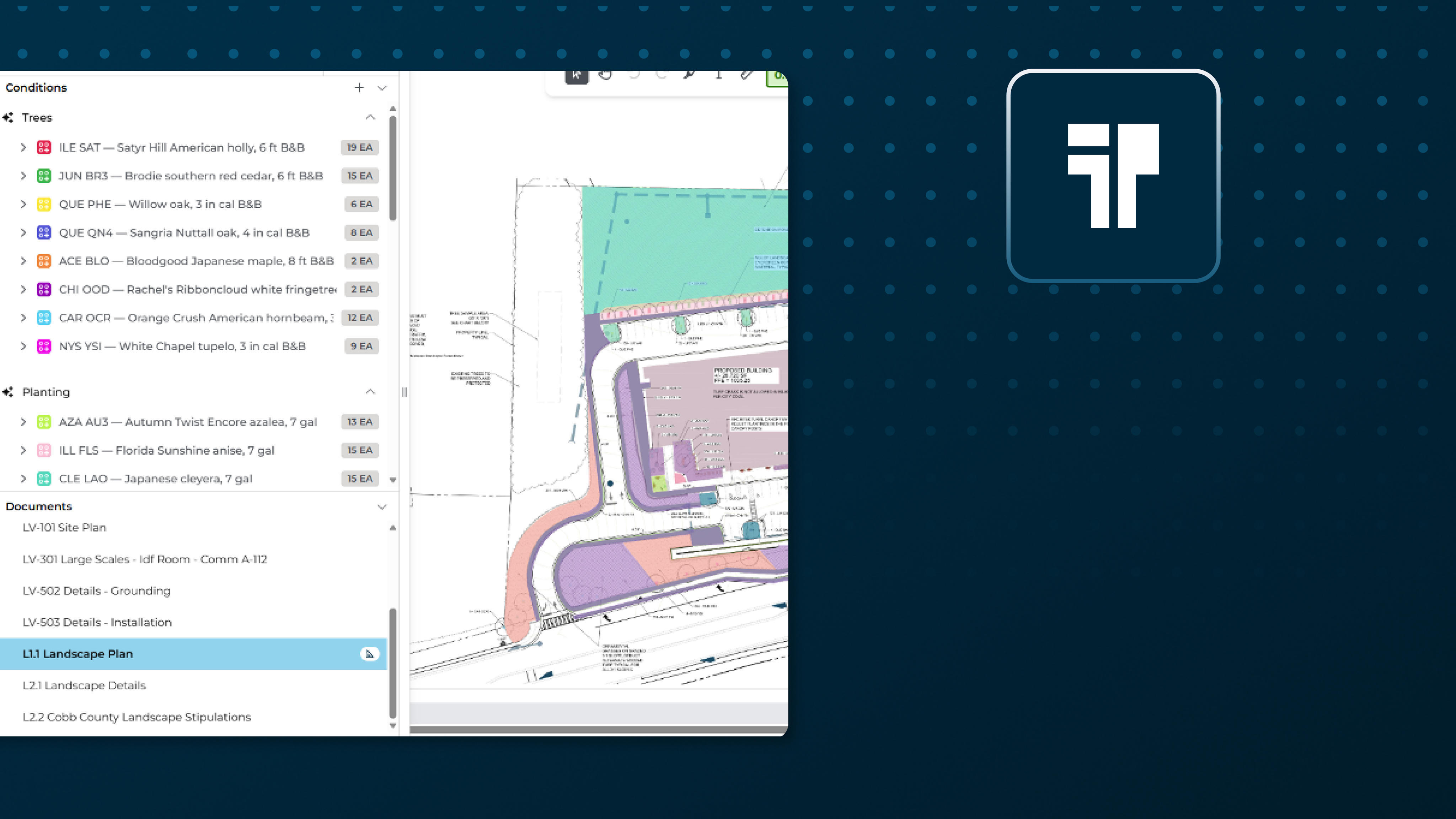
Landscape plans pack multiple takeoff challenges into one set of drawings: from plant counts and area calculations to linear edges, irrigation elements, and site furnishings.
-
Takeoff BOOST™’s Expanded Auto Takeoff coverage helps organize these measurement types into one structured review, so you spend less time hunting for measurements and more time estimating the full scope with confidence.
-
Auto Takeoff gives estimators a faster, more organized way to establish the initial measurement set for review.
- This feature is current in beta testing and will be available for all ConstructConnect Takeoff users soon.
Why this matters
Takeoff BOOST™ Auto Takeoff helps bring common landscape categories into one reviewable first pass:
- Trees
- Shrubs
- Groundcover and perennials
- Sod, seed, and turf
- Planting beds
- Mulch and decorative aggregate
- Topsoil and planting soil
- Landscape edging
- Irrigation
- Site furnishings
A faster path to the first review
Load the landscape plans, verify the scale, select the scope you want to find, and run Auto Takeoff.
Takeoff Assist takes over from there, analyzing your plans, details, and specs to determine what needs to be taken off.
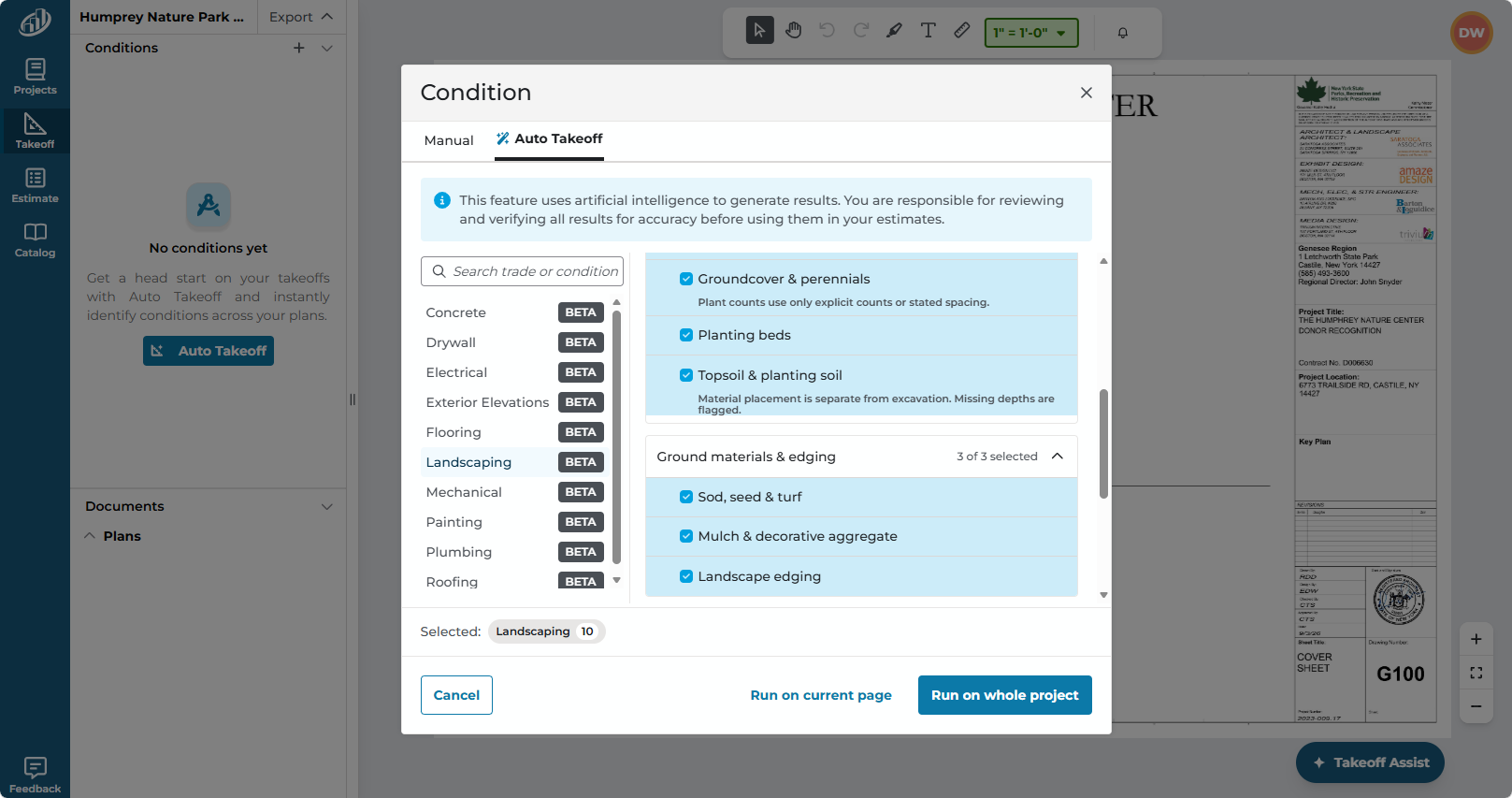
Takeoff Assist creates conditions and takeoffs on the current plan or on all plans that it determines have Landscaping objects - your choice. As it's working, Takeoff Assist keeps you informed of what it is doing.
The payoff for estimators
Landscape plans rarely use one measurement convention. Trees and shrubs may be symbols. Beds, mulch, and soil may be hatches or areas. Edging and irrigation may be linears or counts. Site furnishings may be identified by symbols and schedules. Auto Takeoff helps bring those categories together before you price in minutes. The benefit is that you, the estimator, get to reviewable takeoff results in minutes, not hours or days.
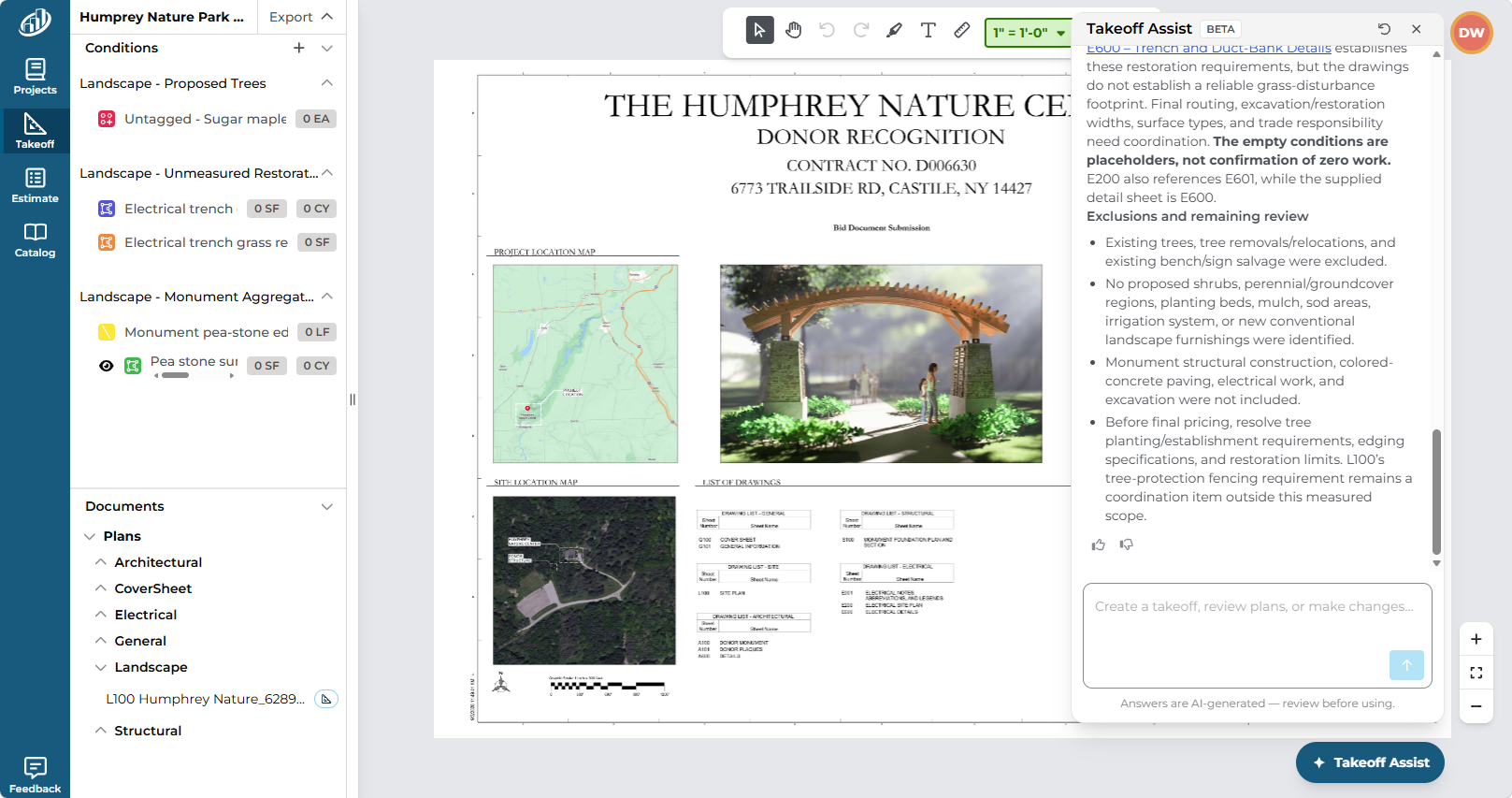
Auto Takeoff creates Conditions and takeoff and let's you know what it and why in the Takeoff Assist panel.
Auto Takeoff and Takeoff Assist let you waste less of your valuable time on poring over plans sets and manually clicking on takeoffs. You can devote more time to accurately pricing your bid, fine-tuning your proposals, and strengthening relationships to make your business more efficient and more profitable.
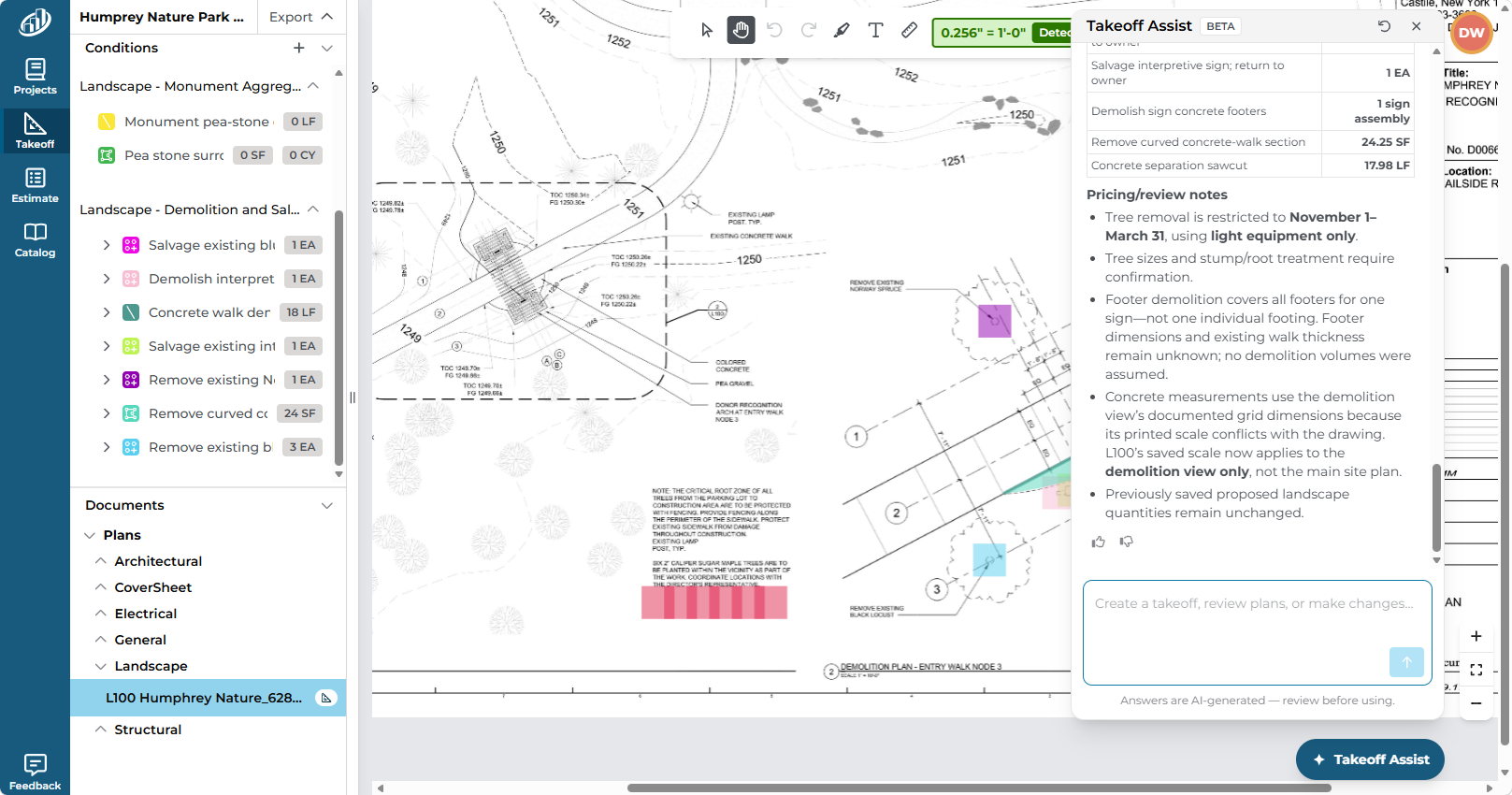
If you aren't satisfied with the results, use natural language to tell Takeoff Assist what else you need. Let's say we wanted to account for the removal of trees or other objects, we just tell Takeoff Assist "Include demo/removal" and it understands what we want and adds those Conditions and takeoff.
Keep the estimator in control
A symbol may represent several sizes or species. A planting bed may contain multiple materials. Irrigation zones may continue across sheets. Soil may have different depth or preparation requirements. Compare the generated results with plant schedules, planting details, irrigation notes, soil requirements, and site-furnishing schedules, then adjust or add measurements as needed.
|
Important
Takeoff BOOST's Auto Takeoff is an AI-assisted starting point. Always verify scale, scope, conditions, quantities, and specifications before using results in an estimate.
|
Keep an eye out for the next article in this series: Auto Takeoff for Drywall